How to Launch an AI Product on Twitter: The Founder’s Playbook

Ship a founder thread, an 8-pane carousel, and a 60-second demo clip on the same day. That single combination, timed across a three-phase campaign, is what turns an AI product announcement into a trending moment on X.
Here is the top-level plan:
- Stealth Alpha: Seed interest with build-in-public posts, early screenshots, and waitlist teasers to a small, engaged audience.
- Waitlist Beta: Drop the carousel and thread to capture signups, gather feedback, and build social proof before the public push.
- Public Launch: Coordinate a creator wave, pin the demo clip, and cross-post to Product Hunt for maximum discoverability.
The one-hour launch window, where your creator network posts simultaneously, is what separates a trending launch from a quiet one.
Key Takeaways
A coordinated AI product launch on Twitter requires a founder thread, an 8-pane carousel, a demo clip, and a phased campaign workflow, all timed to a one-hour creator wave for maximum trending velocity.
| Point | Details |
|---|---|
| Ship the right assets | A founder thread, 8-pane carousel, and 60-second demo clip are the core launch package. |
| Follow the three phases | Stealth Alpha, Waitlist Beta, and Public Launch each have distinct goals and content types. |
| Use spec-driven tooling | Twitter-Init-Kit and a scheduler like SocialBee turn ad-hoc posting into a measurable campaign. |
| Protect sensitive details | Never post security architecture, API secrets, or PII in demo screenshots or carousel panes. |
| Track three KPIs | Engagement rate, demo plays, and waitlist signups from click-throughs are your real launch metrics. |
| Nowix for scale | Nowix coordinates up to 700 creators in one hour for timeline takeover campaigns that trend. |
Table of Contents
- How to run an AI product launch on Twitter: templates, workflow, and tools
- Ready-to-use swipe file: founder thread and carousel copy
- Spec-driven campaign workflow: phases, sprints, and roles
- Tools, AI generators, and agent workflows for content creation
- Launch-day playbook: hour-by-hour checklist, KPIs, and cost estimates
- How to adapt the templates for different AI product types
- Common launch mistakes, what not to share, and safety guardrails
- How to handle community feedback during the launch
- How to use influencers and partnerships to amplify your Twitter launch
- Managing negative feedback and controversy during your AI launch
- What Nowix has learned running X launch campaigns
- Nowix runs the playbook so you can focus on the product
- Sources
- FAQ
How to run an AI product launch on Twitter: templates, workflow, and tools
The 8-pane carousel and founder thread pattern
The 8-pane carousel structure from PaneFlow is built square-first (1080×1080px) for feed aesthetics and follows a narrative arc that converts for technical audiences. Each pane has a job:
| Pane | Role | What to write |
|---|---|---|
| 1. Cover | Hook | Product name + one-line value prop |
| 2. Problem | Pain | The exact frustration your user has today |
| 3. Solution | Pivot | How your product removes that friction |
| 4. Demo A | Proof | Real input → real output (GIF or screenshot) |
| 5. Demo B | Depth | A second use case or power feature |
| 6. Capabilities | Scope | Three to five bullet capabilities |
| 7. Pricing | Clarity | Tier names and starting price |
| 8. CTA | Action | Link + urgency line (“Free tier. No card.”) |
The companion founder thread mirrors this arc. Tweet 1 is the cover hook. Tweets 2 and 3 expand the problem and solution. Tweets 4 and 5 embed the demo GIF links. Tweet 6 lists capabilities. Tweet 7 states pricing. Tweet 8 is the CTA with a pinned link to your waitlist or Product Hunt page.
High-converting technical launches favor developer-first visuals: dark mode interfaces, monospaced type, and real terminal or CLI screenshots. Avoid stock AI imagery. A genuine terminal output on a dark background signals engineering credibility in a way that a rendered 3D robot never will.
Pro Tip: Never include your system architecture diagram, API key patterns, or internal infrastructure names in carousel screenshots. Crop tightly to the user-facing output only.
Ready-to-use swipe file: founder thread and carousel copy
Copy, adapt, and ship. Replace bracketed text with your product details.
Example founder thread
- “We built [Product Name] to [solve specific problem]. It does [core action] in [time/steps]. Here is what that looks like in practice 🧵”
- “The problem: [describe the friction in one sentence]. Every [user type] we talked to hit this wall.”
- “Our solution: [Product Name] [mechanism in plain English]. No [painful workaround]. Just [outcome].”
- “Demo 1: [paste GIF link or embed]. Input: [what the user types]. Output: [what they get]. Takes [X seconds].”
- “Demo 2: [paste second GIF link]. This one shows [second use case]. [One-line reaction from a beta user, if you have one].”
- “What it can do: ✅ [Capability 1] ✅ [Capability 2] ✅ [Capability 3] ✅ [Capability 4]”
- “Pricing: [Free tier details]. [Paid tier] starts at [$X/month]. [Enterprise note if applicable].”
- “We are live on Product Hunt today. [Link]. Free tier, no card required. RT if this solves a problem you have had.”
Pin tweet 8 as soon as the thread goes live. Add the Product Hunt link to your bio for the full launch day.
Sample carousel pane copy
- Cover: “[Product Name] — [One-line value prop]”
- Problem: “[User type] wastes [X hours/week] on [painful task]. There has to be a better way.”
- Solution: “[Product Name] [verb] [outcome] in [time]. Here is how.”
- Demo A: [Real terminal screenshot or GIF frame] — Alt text: “Terminal showing [Product Name] command returning [output] in [X]ms”
- Demo B: [Second UI screenshot] — Alt text: “[Product Name] dashboard displaying [feature] result for [use case]”
- Capabilities: “✅ [Cap 1] ✅ [Cap 2] ✅ [Cap 3] ✅ [Cap 4] ✅ [Cap 5]”
- Pricing: “Free: [limits]. Pro: $[X]/mo. Team: $[Y]/mo.”
- CTA: “Try [Product Name] free → [short URL] No card. No lock-in.”
Variant table: quick edits by product type
| Pane | Developer tool | Creative tool | Vertical AI |
|---|---|---|---|
| Cover | CLI command as headline | Output artifact as visual | Industry + outcome |
| Demo A | Terminal GIF | Before/after creative | Workflow screenshot |
| Demo B | API response JSON | Style variation | Report output |
| Capabilities | Integrations + speed | Formats + styles | Compliance + accuracy |
| CTA | “npm install” or API key | “Start creating free” | “Book a demo” |
Spec-driven campaign workflow: phases, sprints, and roles
The Twitter-Init-Kit formalizes what most founders do ad hoc: it gives you a specify → plan → tasks → implement loop with CLI scaffolding and AI agent workflows. That structure converts social media work from guesswork into a measurable campaign with clear ownership.
Phase definitions
- Stealth Alpha (Weeks 1–2): Post build-in-public updates, share early metrics, and tease the problem you are solving. Goal: a small group of engaged followers who know the product is coming.
- Waitlist Beta (Weeks 3–4): Drop the carousel and thread. Collect signups. Run reply threads to answer questions and build social proof.
- Public Launch (Day 1): Coordinate the creator wave. Pin the demo clip. Cross-post to Product Hunt for early-adopter discoverability.
- Scale Machine (Weeks 5–8): Amplify top-performing posts, run quote-retweet loops, and publish weekly metrics updates to sustain momentum.
Sprint cadence table
| Week | Sprint | Key tasks | Checkpoint |
|---|---|---|---|
| 1 | Alpha build | Write spec, draft 10 teaser posts, set up scheduler | Spec approved |
| 2 | Alpha seed | Post teasers, engage replies, finalize carousel | 50 engaged followers |
| 3 | Beta drop | Publish carousel + thread, open waitlist | a growing number of waitlist signups |
| 4 | Launch prep | Brief creators, schedule launch posts, prep reply templates | Creator briefs sent |
| Launch day | Public launch | Post thread, activate creator wave, monitor KPIs | a strong impression rate per hour |
Growth loops and RACI
Three loops drive compounding reach:
- Demo-to-inbound loop: Demo clip → replies → founder answers → new followers → more demo plays.
- Artifact loop: Share a useful template or dataset → others repost it → new audience discovers the product.
- Template loop: Publish a swipe file or prompt library → community adapts it → organic mentions multiply.
RACI for launch day: Founder owns the thread and replies. Growth lead owns creator coordination and scheduling. Designer owns carousel assets. Agency or amplification partner (if using one) owns the creator wave timing.
Tools, AI generators, and agent workflows for content creation
A content calendar and AI post generators speed drafting significantly. Here is a short, practical stack:
- Twitter-Init-Kit (free, open source): CLI + AI agent workflows for spec-driven campaigns. Run
twitterkit init --product "YourAI" --phase alphato scaffold your first sprint. Best for technical founders who want a repeatable system. - SocialBee (from $29/month): Category-based scheduling and AI draft generation. Strong for teams managing multiple content types across a launch calendar.
- Apaya or similar AI post generators (varies): Generate tweet variants from a single brief. Useful for A/B testing hook styles before launch day.
- Buffer (free tier available): Simple scheduling with analytics. Works well for solo founders who need a lightweight option without a steep learning curve.
- Canva or Figma (free/paid): Carousel design. Canva’s templates are faster; Figma gives you pixel-level control for the developer-first dark-mode aesthetic.
On automation patterns to avoid: Never use bulk-follow bots, engagement pods that violate X’s terms, or auto-DM sequences. These patterns trigger algorithmic suppression and can get your account restricted before launch day even arrives.
For a companion launch asset, a short lead-capture guide published through a service like 1 Hour Book Publisher can extend your funnel beyond Twitter and capture emails from readers who want more than a thread.
Launch-day playbook: hour-by-hour checklist, KPIs, and cost estimates
Hour-by-hour table
| Time | Action | Owner |
|---|---|---|
| T-2h | Final asset check, links tested, scheduler armed | Growth lead |
| T-1h | Creator briefs confirmed, reply templates ready | Founder + agency |
| T0 | Publish thread + carousel, pin tweet 8 | Founder |
| T15 | Creator wave activates (up to 700 creators in 1 hour) | Agency/amplification partner |
| T+1h | Monitor impressions, reply to top comments | Founder |
| T+3h | Post a “thank you” update with early metrics | Founder |
| T+24h | Share signup numbers, top replies, and a demo highlight | Growth lead |
| T+48h | Amplify best-performing post via quote-retweet amplification | Agency |
KPIs to watch in real time
- Impressions per hour in the first three hours (target: 1,000+)
- Engagement rate on the carousel thread (target: 3%+, per 2026 benchmarks)
- Demo plays (track via a UTM-tagged link in the thread)
- Waitlist signups from retweet click-throughs (your primary conversion metric)
Stat to know: Coordinated creator waves that activate within a one-hour window consistently outperform staggered posting for trending velocity — the algorithm reads simultaneous engagement as a signal of organic interest.
Asset production for a solo founder typically runs one to two weeks of part-time work. A full agency-managed timeline takeover, with creator coordination and amplification, compresses that to a single launch day. Pricing for agency-managed campaigns varies by creator count and scope; Nowix’s timeline takeover service is built specifically for this use case.
How to adapt the templates for different AI product types
Not every AI product is a developer tool. Here is where to focus your edits:
- Developer tools: Lead with the CLI command or API call in the cover pane. Demo A should be a terminal GIF showing real latency. CTAs use technical language (“npm install”, “copy API key”). Keep pricing in per-seat or per-call terms engineers recognize.
- Creative tools: The cover pane should show the output artifact, not the interface. Demo A is a before/after visual. Demo B shows a style variation. CTAs are softer (“Start creating free”, “Try your first project”). Captions matter more here because creators share on visual-first platforms too.
- Vertical/enterprise AI: Replace the demo GIF with a workflow screenshot or report output. Capabilities pane emphasizes compliance, accuracy, and integration with existing tools. CTA is “Book a demo” rather than a self-serve link. Pricing pane can say “Contact us” for enterprise tiers.
For visual assets: developer tools work best with 15–30 second terminal GIFs. Creative tools need 30–45 second screen recordings showing the creation process. Enterprise AI benefits from annotated UI screenshots with callouts rather than raw recordings.
Common launch mistakes, what not to share, and safety guardrails
The most common pitfalls are predictable and avoidable.
Overclaiming is the fastest way to lose technical credibility. Do not write “near-perfect accuracy.” Engineers will test it and post the real numbers publicly.
Synthetic demos backfire badly. A fabricated output that looks better than the real product creates a trust gap the moment someone tries it. Use real inputs and real outputs, always.
Ignoring alt text cuts you off from a meaningful slice of your audience and signals carelessness to the algorithm. Every carousel image needs a descriptive alt text (see the swipe file above for examples).
Failing to plan replies is the most expensive mistake. If 200 people comment in the first hour and you have no reply templates ready, you lose the engagement window that feeds the algorithm.
On security and disclosure: build-in-public best practice is clear. Share demos, roadmaps, and metrics. Never post security architecture, API secrets, raw PII, internal infrastructure names, or anything that reveals how your system handles sensitive data. Crop screenshots tightly. Review every image before it goes live.
Before you post any demo screenshot, run this check: Is there a URL, key, internal hostname, or user email visible anywhere in the frame? If yes, crop it out. One leaked credential in a viral thread is a security incident, not a marketing win.
Pro Tip: Write 10 reply templates before launch day: five for positive reactions (“Thanks! Here is how to get started: [link]”), three for technical questions, and two for skeptical or critical comments. Assign one person to monitor and respond for the first three hours.
Also check Twitter brand safety guidelines before finalizing your assets, especially if your product handles user data or operates in a regulated industry.
How to handle community feedback during the launch
Speed and specificity are the two things that separate good launch community management from bad. Reply within 15 minutes to the first wave of comments. Generic “thanks for the support!” replies waste the engagement window. Instead, answer the actual question in the comment, then add one sentence that moves the reader toward a next action.
Categorize incoming feedback into three buckets as it arrives: feature requests, bug reports, and general enthusiasm. Feature requests get a public reply plus a note in your product backlog. Bug reports get a direct message with a fix timeline. Enthusiasm gets a reply that amplifies the thread further (“Glad it resonates, here is the demo link for anyone who wants to try it now”).
Pin a “FAQ thread” reply to your launch tweet within the first two hours. This single move reduces repeat questions and keeps your replies section from becoming noise.
How to use influencers and partnerships to amplify your Twitter launch
Micro-influencers in the 5,000–50,000 follower range consistently outperform large accounts for technical AI products. Their audiences are more engaged and more likely to actually try a new tool. Identify 10–20 accounts whose followers match your ideal user, and reach out with a creator brief two weeks before launch.
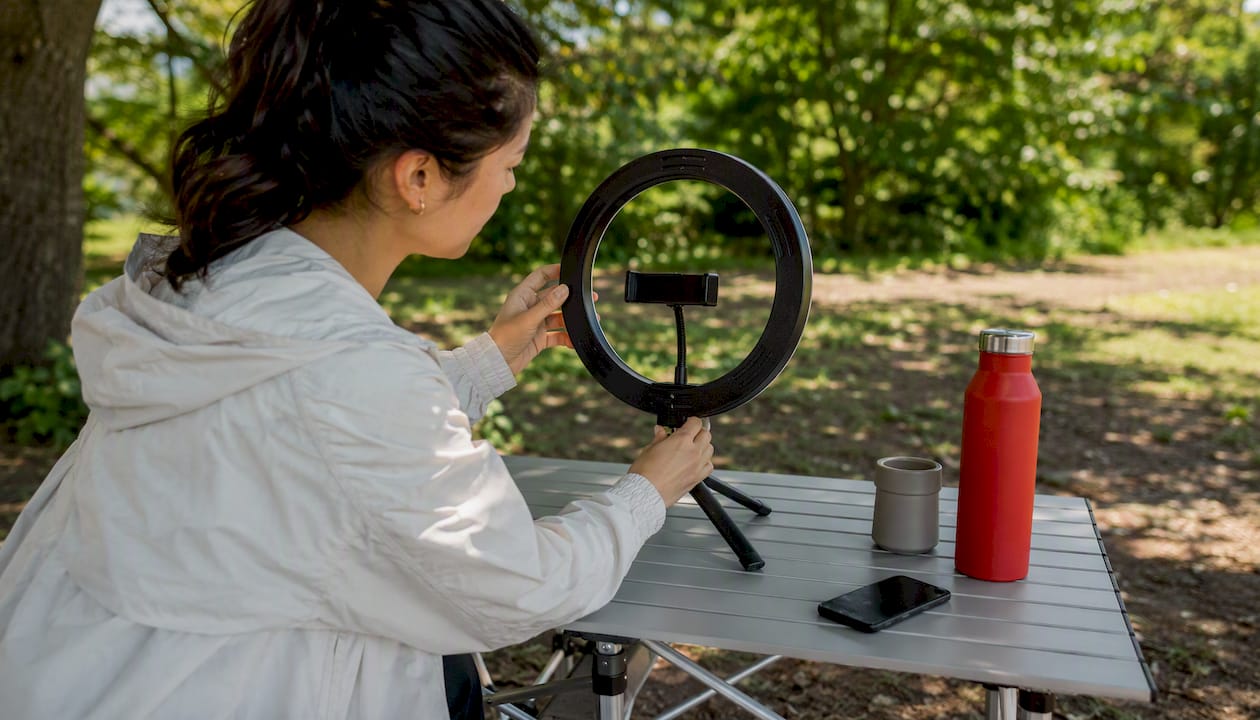
A creator brief should include: the product one-liner, two demo links, suggested tweet copy (not mandatory, but helpful), and the exact launch time. Give creators flexibility to post in their own voice. Forced copy reads as paid promotion; authentic framing reads as a recommendation.
For partnerships, coordinate with complementary tools rather than competitors. If your AI product integrates with Notion, Slack, or a specific API, ask those teams to cross-post on launch day. A single retweet from a tool your users already trust carries more weight than 50 posts from unrelated accounts.
Nowix coordinates creator waves of up to 700 accounts within a one-hour window, which is the mechanism behind timeline takeover campaigns. That volume, timed precisely, is what pushes a launch into trending territory.
Managing negative feedback and controversy during your AI launch
AI products attract scrutiny. Expect questions about data privacy, model bias, and accuracy claims. Plan for them before launch day, not during it.

The first rule: never delete a critical comment unless it violates X’s terms. Deletion signals defensiveness and often gets screenshotted and reposted. Respond publicly, factually, and briefly. “Good question. Here is how we handle [X]: [one sentence]. More detail in our docs: [link].”
For coordinated criticism or a controversy that gains traction, designate one person to own the response thread. Consistency matters more than speed in a controversy. A single, clear, factual statement from the founder beats five scattered replies from different team members.
If a claim about your product is factually wrong and spreading, correct it once with a cited source, then stop engaging with that specific thread. Repeated engagement amplifies the criticism. Let the correction stand.
For AI-specific concerns (hallucinations, bias, data handling), have a one-paragraph plain-English explanation of your approach ready before launch. Post it proactively in your thread if your product operates in a sensitive domain. Transparency before the question is asked is far more credible than a reactive answer.
What Nowix has learned running X launch campaigns
Running timeline takeovers for tech and AI brands has shown one consistent pattern: the founders who treat launch day as a media event, not a social media post, get the results. That means pre-briefed creators, a pinned demo clip, a live reply rotation, and a coordinated amplification wave, all firing within the same hour.
Typical outcomes from a coordinated Nowix campaign include a significant spike in impressions within the first three hours, sustained engagement through the 24-hour window, and measurable waitlist or signup lift tied directly to the creator wave. The mechanism is not mystery. It is timing, volume, and relevance, executed in sequence.
- Coordinated creator waves activate within a one-hour window for maximum trending velocity.
- Post amplification uses vetted micro-influencers for quote-retweets and comments, not bots.
- Full X account management covers strategy, daily content, replies, and community engagement for teams who want ongoing momentum, not just a launch spike.
Nowix runs the playbook so you can focus on the product
Your launch thread is written. Your carousel is ready. Now the question is whether you have the distribution to match the quality of what you built.
Nowix coordinates timeline takeover campaigns with up to 700 creators firing within one hour, turning a well-crafted launch into a trending moment. For teams that need ongoing momentum after launch day, post amplification and full X account management keep the signal alive week over week. If you are a solo founder with strong assets and a small budget, the DIY playbook above is enough to get started. If you want coordinated distribution at scale, that is what Nowix is built for. Send your brief and get a campaign plan within 48 hours.
Sources
The resources below are where the templates, toolkits, and examples in this playbook come from.
- agentii-ai/twitter-init-kit
- AI Product Launch Template - Twitter Ready | PaneFlow
- Build in public or private
- Frontend AI: Vercel abstracts model chaos in one interface
FAQ
What should I post first on launch day? The founder thread, with the carousel attached to tweet 1. Pin tweet 8 (the CTA) immediately after posting.
How many creators do I need for a timeline takeover? Even 20–30 well-matched micro-influencers posting within the same hour creates a noticeable signal. Nowix scales this to up to 700 for brands that want trending-level velocity.
Should I post to Product Hunt on the same day? Yes. A simultaneous Product Hunt drop increases discoverability among early adopters and gives your Twitter thread a second destination to link to.
What is the biggest mistake founders make on launch day? Not having reply templates ready. The first-hour engagement window is where the algorithm decides whether to amplify your post. Missing it with slow or generic replies is the most common and most avoidable error.
How long should my demo clip be? A short demo clip suitable for the product type, typically lasting less than a minute, is recommended. Keep it tight enough to watch twice.
When should I hire an agency instead of doing it myself? When your asset quality is high but your distribution network is small. The playbook works DIY for founders with an existing audience. For founders launching cold, coordinated amplification from a partner like Nowix closes the distribution gap.