
Eight profile changes will reliably increase your visibility, trust, engagement, and follow rate on X. Most accounts leave all eight on the table. Here is what to fix first, in order of impact:
- Profile photo: Use a high-contrast headshot or clean logo that remains clear when scaled down to small sizes.
- Display name: Add one descriptive keyword after your name (e.g., “Jane Smith | SaaS Growth”).
- Username (@handle): Keep your username concise and avoid underscores or numbers where possible.
- Bio rewrite: Front-load your primary keyword in the first 60 characters; aim for 130–160 total.
- Header/banner update: One message, centered text, brand colors, mobile-safe layout.
- Pinned tweet swap: Pin your best-performing thread or a “start here” resource that proves your bio’s promise.
- Link strategy: Point your single bio link to your highest-converting destination, not your homepage.
- Follower/following audit: Aim for a balanced follower-to-following ratio; heavily skewed following may trigger spam signals.
After making these changes, track profile visits versus new followers for 2–4 weeks. That ratio is your follow conversion rate, and it is the clearest early signal that the overhaul is working.
Table of Contents
- How does X actually read your profile?
- What makes a username and display name discoverable?
- How should your profile photo build trust?
- How do you use your banner without losing text on mobile?
- What bio formula actually converts visitors into followers?
- Why is your pinned tweet your highest-leverage profile asset?
- How do follower ratios and trust signals affect your reach?
- Where should your single bio link point?
- What should you tweet and how often?
- How do you build community through replies and lists?
- What metrics prove your profile changes are working?
- What does research say about the highest-leverage moves?
- How do location and timezone settings help you reach the right audience?
- How does your profile look different on mobile vs. desktop?
- Key Takeaways
- What operators actually fix first
- Nowix turns an optimized profile into a growth engine
- Useful sources and tools for your profile audit
How does X actually read your profile?
Visitors evaluate your profile in a fixed sequence: avatar first, then display name, bio, pinned tweet, and recent tweets. Most leave before they reach the pinned tweet. That means failures early in the funnel make everything downstream invisible, no matter how good your content is.
Mobile compounds this. A large majority of X traffic arrives on mobile, where bio text wraps unpredictably and the first 60 characters are often all a visitor sees before they decide to scroll or leave. A bio that looks clean on desktop can collapse into an unreadable paragraph on a phone.
Your profile is a two-second decision. A stranger lands, pattern-matches for a signal that tells them whether you are worth following for a specific reason, and moves on if that signal is absent or buried. The bio carries the most weight because it is the only place you explain who you are without relying on the reader to infer meaning from your tweet history.
X’s algorithm adds another layer. Display names and bios are indexed for search, so keyword placement directly affects whether you appear when someone searches your niche. Account-quality signals, including follower ratio and profile completeness, also influence how often your replies surface in the For You feed. An optimized profile improves algorithmic distribution across the board.
Pro Tip: Before editing anything, open your profile on a phone you have never used before, or ask someone unfamiliar with your work to read it cold. What they take away in two seconds is what your bio actually communicates.
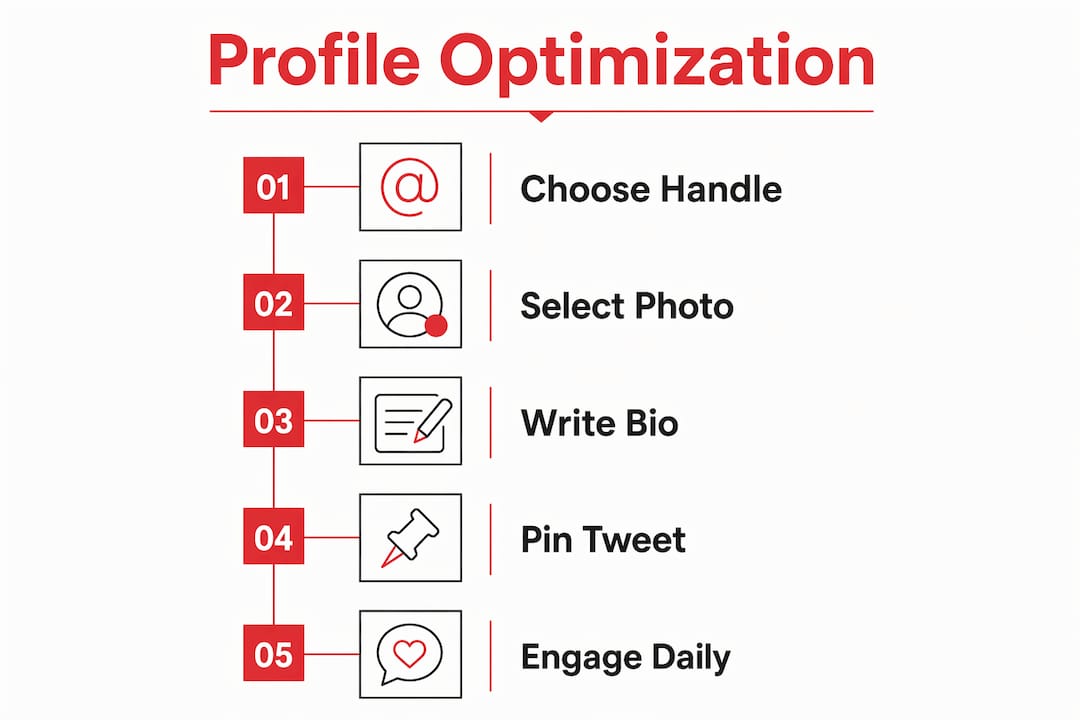
What makes a username and display name discoverable?
Your @handle is your permanent address on X. Keep it under 15 characters, avoid underscores and numbers when possible, and make it as close to your real name or brand name as you can. Changing your handle breaks existing mentions and search history, so get it right early and treat it as fixed.

Your display name is more flexible and more powerful for discoverability. X indexes display names in search, so adding a descriptor after your name gives you keyword real estate that works before anyone reads your bio.
Templates by account type:
- Personal/founder:
Jane Smith | AI FounderorMarcus Lee | Developer Tools - Freelancer:
Sara Kim | UX WriterorTom Reyes | B2B Copywriter - Brand:
Acme | Project Management SoftwareorFlux | Design for SaaS
Check your discoverability by searching your primary keyword on X filtered by People; absence from early results indicates missing keywords in your display name or bio. Add it to the display name first since it carries more weight in the search index.
How should your profile photo build trust?
For individuals, a headshot outperforms a logo every time. Practitioners report that face photos generate significantly more follows and higher reply engagement than logo accounts for personal profiles. For brands, a simple high-contrast logo on a solid background is the right call.
The circular crop is brutal at small sizes. At 48px, a photo with a face occupying less than 60% of the frame becomes unrecognizable. Zoom in until your face fills roughly 70% of the frame before you upload.
Specs that matter: upload at 400×400px minimum, use a JPEG or PNG, and avoid heavy filters that flatten contrast. Your profile photo appears next to every reply and mention you post, so it is doing constant brand work across the entire platform, not just on your profile page.
Pro Tip: Test how your photo renders at small size by shrinking it to a 48×48px thumbnail in any image editor. If you cannot identify the face or logo clearly, reshoot or recrop before uploading.

How do you use your banner without losing text on mobile?
The header image has a wide aspect ratio; mobile devices crop the top and bottom, so keep critical content centered in the middle vertical zone to avoid cutoff. Keep all critical text and visual elements inside that band.
What to put there:
- Value proposition strip: One sentence that reinforces your bio promise, in large readable type.
- Social proof bar: Press logos, a key metric (“10,000 subscribers”), or a recognizable brand you have worked with.
- Launch or event message: Swap this in for a product launch or campaign, then rotate back to your evergreen message.
Use your brand colors consistently. The header is the first large visual element a visitor sees, and color recognition builds faster than text comprehension. Regularly update your banner to signal an active, maintained account; infrequent changes can give the impression of abandonment.
What bio formula actually converts visitors into followers?
A well-optimized bio converts a substantial share of profile visitors into followers; a poor one converts very few. That gap is almost entirely explained by specificity. Generic nouns like “founder,” “builder,” and “investor” describe a category, not a person. They give a stranger no reason to follow you over the thousands of other accounts using the same words.
The formula that works: who you are + what you produce + who it is for + one credibility signal + a single CTA or link hint. Aim for a bio length appropriate for mobile previews, front-loading the most important keyword early. Bio analyzers like DMpro can score your current bio and suggest rewrites based on niche clarity, CTA strength, and character usage.
“I build developer tools for solo founders. Writing about shipping fast and staying lean.” That bio tells the right reader who you are for, what you make, and what content to expect. It also self-selects: the wrong reader knows immediately this account is not for them. That clarity is not a limitation. It is the mechanism.
Templates by account type:
- Founder:
Building [product] for [audience]. [Credibility signal]. [CTA hint] ↓ - Creator:
[Topic] content for [audience]. [Result or milestone]. New post every [cadence] ↓ - B2B brand:
[What you do] for [industry]. [Proof point]. [CTA] ↓ - Service provider:
[Service] for [client type]. [Result]. DMs open.
Emoji guidance: one or two purposeful emojis (an arrow pointing to the link, a relevant symbol for your niche) add scannability. More than three reads as noise.
Why is your pinned tweet your highest-leverage profile asset?
The pinned post functions as a free ad slot at the top of your profile. Every visitor who makes it past your bio sees it. It must deliver proof that directly supports your bio’s promise, not just a random tweet you liked.
What to pin:
- Your best-performing thread on your core topic
- A “start here” resource thread that demonstrates your expertise
- A lead-magnet CTA with a clear link and a reason to click
- A social-proof post (a milestone, a press mention, a strong testimonial)
Pro Tip: Consider your pinned tweet as prominent real estate analogous to a landing page headline. If your bio says you help SaaS founders grow, your pinned tweet should show exactly how, with a thread, a result, or a resource. A mismatch between bio promise and pinned content kills conversion.
Rotation cadence: swap your pinned tweet every 3–6 months, or immediately after a major launch or milestone. Track impressions and profile visits before and after each swap. If a new pin drives more profile visits than the previous one, keep it longer.
How do follower ratios and trust signals affect your reach?
Your follower-to-following ratio signals account health. Balanced ratios appear organic, while heavily following-focused accounts may be perceived as spam and have reduced reach.
A quarterly cleanup is not optional. Unfollow inactive accounts, accounts that never followed back, and accounts outside your niche. Tools like Unfollr make this fast. The goal is not a vanity number; it is a ratio that signals a healthy, engaged account to both visitors and the algorithm.
Other trust signals that compound:
- Verified badge: Increases perceived authority and improves reply surfacing.
- Category selection: Choosing the right category (Creator, Business, etc.) helps X surface your account in relevant contexts.
- Location field: Filled location improves local discoverability and adds context for your audience.
- Joined date: An older account with consistent activity reads as established. A new account needs stronger bio and pinned signals to compensate.
For brands, the verified badge and category selection carry more weight than for individuals. For individuals, the ratio and a filled location field are the fastest trust wins.
Pro Tip: Run a brand verification check to confirm your profile signals are consistent across platforms before you invest in amplification.
Where should your single bio link point?
Your bio link is the only clickable URL on your profile. Do not waste it on your homepage. Point it to your highest-converting destination: a newsletter signup, a lead magnet, a product landing page, or a free resource that captures an email address.
The link you choose is a hypothesis. Test one destination for 2–4 weeks, measure click-throughs and downstream conversions, then swap and compare. Most accounts never run this experiment and leave significant traffic value on the table.
When you have multiple destinations worth linking, a link-in-bio tool (like Linktree or a custom landing page) lets you route traffic without losing the single-link constraint. Describe the link in your bio with a directional cue: “Free SaaS growth checklist ↓” outperforms a bare URL or a generic “link below.”
What should you tweet and how often?
Content strategy is where profile optimization either compounds or collapses. A strong profile that leads to a weak or inconsistent timeline loses the follow anyway. Align your tweets with the promise your bio makes.
A practical content mix for growth:
- Expertise posts (40%): Threads, how-tos, and frameworks that demonstrate what your bio claims.
- Building-in-public posts (20%): Progress updates, lessons learned, and honest takes that build trust over time.
- Engagement posts (25%): Replies to large-account threads in your niche, quote tweets that add a specific point of view.
- Personal posts (15%): One detail that makes you human and memorable.
Cadence: minimum viable is 3–5 posts per week plus daily replies. Growth mode is 1–2 original posts per day plus 10–15 targeted replies. Replies are underrated. A sharp reply on a high-traffic thread drives profile visits faster than most original posts. Algorithm changes on creator platforms continue to reward consistent engagement over burst posting.
Thread structure that converts: hook (one sentence that creates a knowledge gap) → 3–7 expansion tweets → CTA at the end pointing to your bio link or pinned tweet. Test one thread format per month and compare profile visits in the 48 hours after posting.
How do you build community through replies and lists?
Replies are your distribution engine. A meaningful reply on a thread from an account with 50,000 followers puts your name in front of their entire audience. The reply must add a specific point, a counter-example, or a concrete data point. “Great post!” does nothing.
Quote tweets work best when you disagree or extend. A QRT that says “This, plus one thing most people miss:” and adds a specific insight gets more engagement than a QRT that just adds praise. Use QRTs to position yourself, not to amplify others.
Twitter Lists are one of the most underused profile tools. Build a private list of the 20–30 accounts in your niche whose threads you want to reply to consistently. Check that list daily instead of the main feed. It removes noise and keeps your engagement targeted.
Community tactics that generate repeat profile visits: run a recurring weekly thread on a specific topic (your audience learns to expect it), host an occasional AMA, and follow up with users who engage on your best posts. A direct reply to a comment, 24 hours later, often converts an engaged visitor into a follower.
Pro Tip: Add journalists, analysts, and large-account creators in your niche to a dedicated List. When they post breaking news or a hot take, you are first in line to reply with a sharp, specific point.
What metrics prove your profile changes are working?
Track four numbers before and after any profile change:
| Metric | What it tells you | How to measure |
|---|---|---|
| Profile visits | Raw traffic to your profile | X Analytics → Profile tab |
| Follow conversion rate | New followers ÷ profile visits | Calculate weekly from Analytics |
| Engagement rate | Interactions ÷ impressions per post | X Analytics → Posts tab |
| Link clicks | Clicks on your bio link | X Analytics → Profile tab |
A/B test protocol: change one element at a time. Update your photo, wait two weeks, record the follow conversion rate. Then update your bio, wait two to four weeks, record again. Changing multiple elements simultaneously makes it impossible to know what moved the needle.
Before/after snapshot template:
Small improvements in follow conversion rate can compound significantly over time at scale. If no improvement occurs after a reasonable period, the changed element likely is not the key bottleneck. Move to the next item on the list.
What does research say about the highest-leverage moves?
Two profile elements consistently outperform everything else in practitioner data: the pinned tweet and the follower-to-following ratio.
Pinned posts act as a free ad. Practitioners who align their pinned content directly with their bio promise report higher profile-visit-to-follow conversion than those who pin arbitrarily. The pinned tweet is the one asset that every profile visitor sees after the bio, making it the highest-ROI real estate on the page.
The follower ratio effect is equally documented. Accounts with following-heavy ratios face reduced algorithmic trust, lower reply surfacing, and visitor skepticism. Moving toward 1:1 is not about vanity; it is about removing a signal that actively suppresses your reach.
Priority sequence for maximum impact:
- Profile photo audit: Verify face coverage, resolution, and small-size readability.
- Pinned tweet swap: Replace anything older than six months with your best-performing thread or a direct proof of your bio’s promise.
- Follower audit: Run a quarterly cleanup and unfollow inactive or off-niche accounts.
Each step takes under 30 minutes. Together, they address the three signals that visitors and the algorithm weight most heavily.
How do location and timezone settings help you reach the right audience?
Filling in your location field does more than add context. X uses location data to surface accounts in local and regional searches, which matters for service providers, event-based brands, and anyone whose audience is geographically concentrated. Leave it blank and you forfeit that discoverability.
Timezone settings affect when your scheduled posts go live. If your audience is primarily in the US Eastern time zone and you are posting at 9 AM your local time from a different region, your content may land at 2 AM for your core audience. Match your posting schedule to your audience’s active hours, not your own. X Analytics shows you when your followers are most active; use that data to set your posting window.
For brands targeting multiple US time zones, a 9–10 AM ET posting window captures the broadest active audience across the country. For global accounts, a secondary posting window around 6–8 PM ET adds European morning reach.
How does your profile look different on mobile vs. desktop?
Desktop shows your full bio, header image, and pinned tweet in a single view. Mobile stacks them vertically and truncates the bio after roughly 60 characters before showing a “more” prompt. Most visitors on mobile never tap “more.”
Key differences to design for:
- Bio truncation: The first 60 characters must stand alone as a complete signal. Do not bury your primary keyword or CTA in the second half of the bio.
- Header cropping: Mobile crops the top and bottom of the 1500×500px header. Keep all text inside the center safe zone.
- Pinned tweet preview: On mobile, only the first line of the pinned tweet is visible before the “show more” prompt. Write the hook of your pinned tweet to work as a standalone sentence.
- Link visibility: The bio link appears below the bio on both platforms, but on mobile it is often the last thing a visitor sees before leaving. A directional cue in the bio (“↓ free checklist”) pulls the eye down to it.
Always proof your profile on a phone before considering any optimization complete. Desktop looks are not representative of how 80% of your visitors experience your profile.
Key Takeaways
A strong profile converts visitors into followers at 25–40% when every element, from photo to pinned tweet, works together as a single conversion funnel.
| Point | Details |
|---|---|
| Bio conversion gap | Optimized bios convert 25–40% of visitors; poor bios convert under 5%. |
| Mobile-first bio rule | The first 60 characters must work alone — most mobile visitors never tap “more.” |
| Pinned tweet priority | Pin your best thread or proof post, update it periodically, and monitor follow rate to gauge impact. |
| Follower ratio signal | Worse-than-3:1 following-heavy ratios trigger spam signals; run a quarterly cleanup to move toward 1:1. |
| Nowix for amplification | When your profile is optimized and ready to scale, Nowix amplifies reach through vetted micro-KOLs and timeline takeover campaigns. |
What operators actually fix first
The conventional wisdom on profile optimization is to start with the bio. In practice, that is the wrong order. The bio is the hardest element to get right and the easiest to over-edit into keyword soup. Start with the photo and the banner. They take 20 minutes, they are purely visual, and they immediately change how every subsequent element is perceived. A sharp photo makes a mediocre bio read better. A weak photo makes a great bio feel less credible.
The most common mistake is constant micro-editing. Changing one word in the bio every few days, tweaking the header color, swapping the pinned tweet after 48 hours because it did not go viral. None of that is optimization. It is anxiety dressed as strategy. Real optimization means making one change, waiting two to four weeks, and measuring the follow conversion rate before touching anything else.
Keyword stuffing is the second most common mistake. A bio that reads “AI | SaaS | Founder | Growth | Marketing | B2B | Startup” is not optimized for search. It is optimized for no one. One primary keyword and one secondary keyword, placed naturally, outperform a list of nouns every time.
The stale pinned tweet is the silent killer. An account whose pinned tweet is from 18 months ago signals to every visitor that the account is on autopilot. Swap it after every major milestone, launch, or content win. If nothing qualifies, write a new thread specifically to pin.
When should you hire external help? When your account needs to convert at enterprise-grade rates, when a product launch requires coordinated amplification across dozens of creators, or when the daily content and reply operations are consuming more time than the account generates in value. Those are not DIY problems.
Nowix turns an optimized profile into a growth engine
You have done the hard work: the bio converts, the pinned tweet delivers proof, the ratio is clean. Now the question is velocity. How fast can you build the follower base and the reply visibility that makes the profile self-reinforcing?
Nowix runs X account management for tech and AI brands, handling daily content, replies, and community engagement so the profile stays active and on-message without consuming your team’s time. For launches and growth sprints, Nowix deploys up to 700 vetted creators within a one-hour window to amplify a pinned thread or a product announcement across the timeline. The Unfungible campaign moved a founder’s posts from 97 views to 17,500 views using exactly this model.
If your profile is ready and your next move is scale, get in touch with Nowix to scope a campaign or ongoing management.
Useful sources and tools for your profile audit
- GapCheck Twitter Bio Audit: A practitioner-written audit framework that identifies the gap between what your bio says and what a cold reader actually takes away.
- DMpro Bio Analyzer: Free tool that scores your bio on niche clarity, CTA strength, and character usage, with rewrite suggestions.
- Unfollr Profile Optimization Guide: Covers follow conversion benchmarks and profile-visit-to-follow data referenced throughout this article.
- GrowthLens X Profile Guide: Founder-focused optimization guide with pinned tweet strategy and 15-minute overhaul checklist.
- Twitter10k Profile Optimization: Practitioner guide on follower ratio signals and quarterly cleanup protocols.
- Trendswave Bio Tips: 15 bio-writing tips covering keyword placement, CTA structure, and display name strategy.
- Nowix X Management: Full account management for tech and AI brands that need ongoing profile operations and content.
Recommended
- Nowix | Go Viral on X, Amplification & X Management
- Unfungible case study: founder posts from 97-164 views to 17,500 views | Nowix
- X Management: Brand Profiles Run by Practitioners | Nowix
- Go Viral on X: Timeline Takeover Campaigns | Nowix
Frequently asked questions
What should an X profile visitor be able to understand quickly?
What the product does, who it helps, the evidence behind the claim and the next useful action. Align the bio, pinned post and linked page around that decision.
How can I evaluate whether the next step is useful?
Track the relevant link or website action and review the quality of recorded enquiries. Profile views and link clicks are useful observations but are not qualified leads by themselves.